
Digital Banking
Full Service Banking At Your Fingertips.
Get the same great experience on desktop or mobile. No need to leave the office.
Start with tools like…
Card Controls
Misplaced your card? Whoops! Lock or unlock your UICCU debit and credit cards in your app.
Account Alerts
Secure your accounts by setting up alerts. You can keep your business running with no worries!
Real-Time Mobile Deposit
Deposit checks on-the-go in real time. Except while driving. Let’s not do that.
Secure Message
As easy and safe as it sounds. Relax knowing it will only be accessed by the person you sent it to.
Money Transfers
Pay bills and transfer money at the click of a button. Accounting is getting easier.
Contact us to get started!
Email UsSchedule an appointment
Sorry, you can’t register for business digital banking through the app yet. Get started by reaching out to us!
This app? It’s pretty legit.
Don’t take our word for it, though. (We’re biased.)
See what others have to say!

Five golden stars
Frequently Asked Questions
Q: How do I register my Business Digital Banking?
We can set this up for you! Reach out to your business banker to register. Or you can contact us at businessservices@uoficreditunion.org to get started.
Q: Can I create or change my Debit Card PIN in Digital Banking?
It’s easy! Go to your checking/debit card account and then the ‘Card Services’ tab. Click to call the automated number, (888-886-0083), which lets you create or change your Debit Card PIN any time
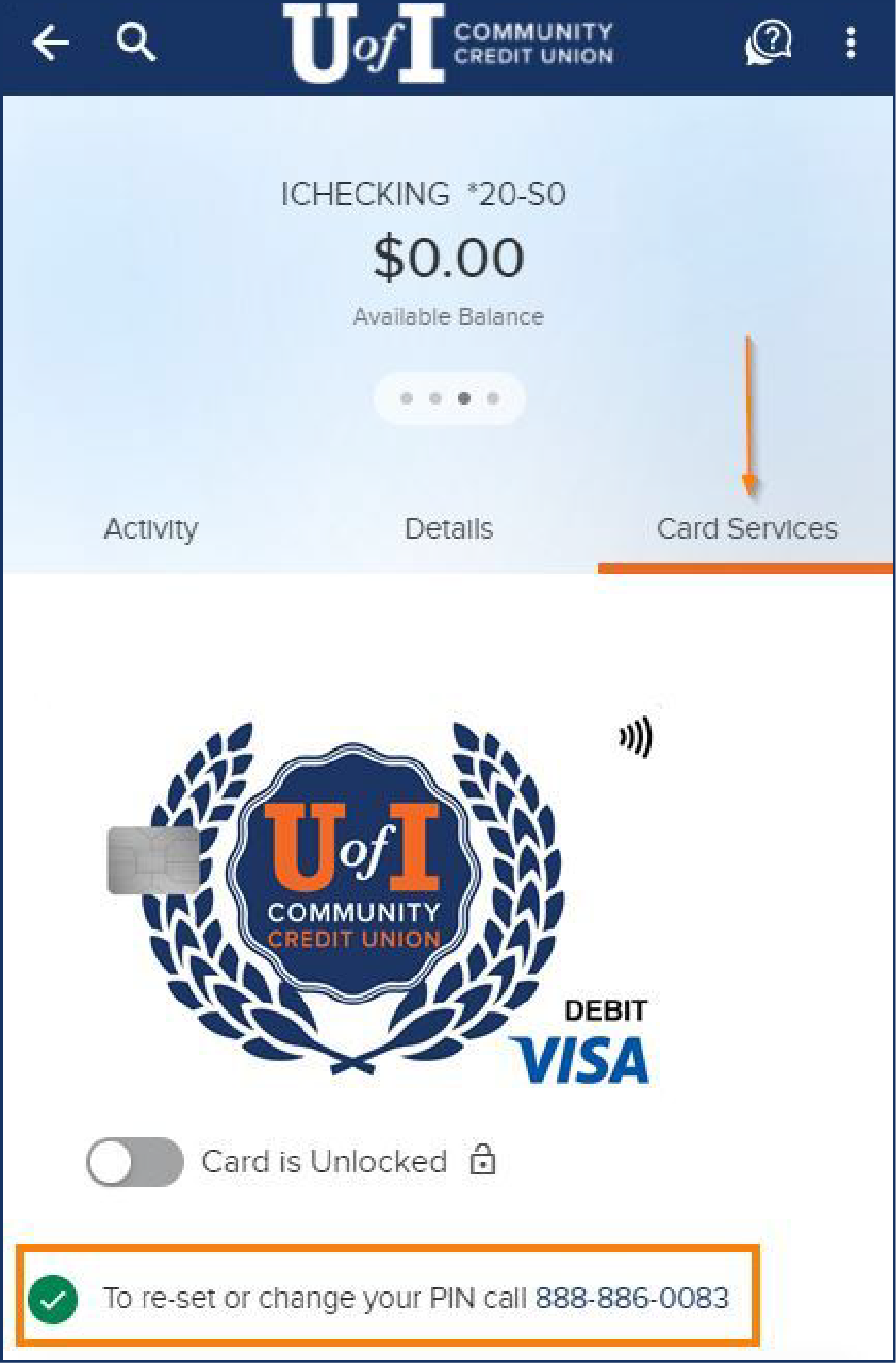
Screenshot of the digital banking app on mobile, showing where to change a debit card PIN
Q: Can I make my payment from another Credit Union/Bank in Digital Banking?
Absolutely!
- Click the ‘Transfer’ tab, select ‘Add an External Account’ option in the drop down and click ‘Get started’
- Select or search for your other financial institution and enter your login credentials (an additional verification step may be required) and choose which account(s) you want connected.
- If your external account can’t be instantly verified, you can connect it manually using trial deposits.
- If the account info is correct, check ‘I confirm’ and ‘Accept’.
You can now make payments from your external account under the ‘Transfer’ tab!
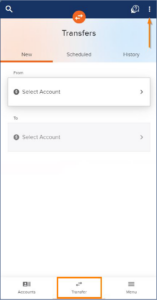
Screenshot of the digital banking app on mobile, showing how to set up external payments

Screenshot of the digital banking app on desktop, showing how to set up external payments
Q: Can I enroll in and view my eStatements in Digital Banking?
You bet!
- On mobile, select ‘Menu’, then select ‘More’.
- On desktop, click the three dots and select ‘Documents and Statements” from the drop-down.
On the statement page, click on the gray toggle to enroll for eStatements. That’s it!
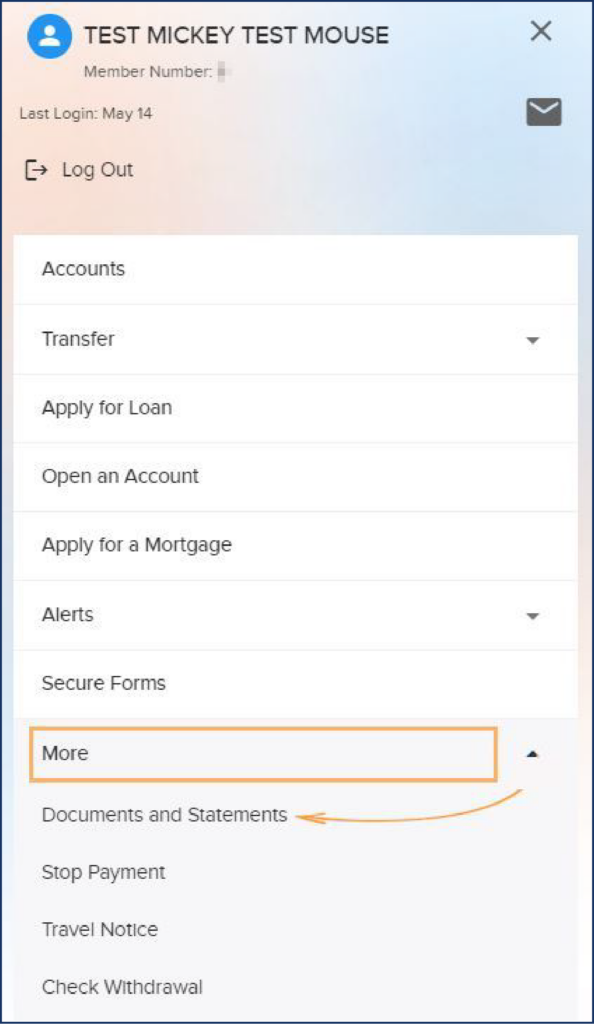
Screenshot of the digital banking app on mobile, showing how to view or enroll for eStatements in Digital Banking

Screenshot of the digital banking app on desktop, showing how to view or enroll for eStatements in Digital Banking
Start banking better.
Email UsSchedule an appointment
Sorry, you can’t register for business digital banking through the app yet. Get started by reaching out to us!